
Do Stud Finders Work Through Tile? What Actually Works
Will a stud finder work through tile? Magnets and magnetometer apps do; capacitive finders mostly don't. How to find studs behind tile — and when to cheat.
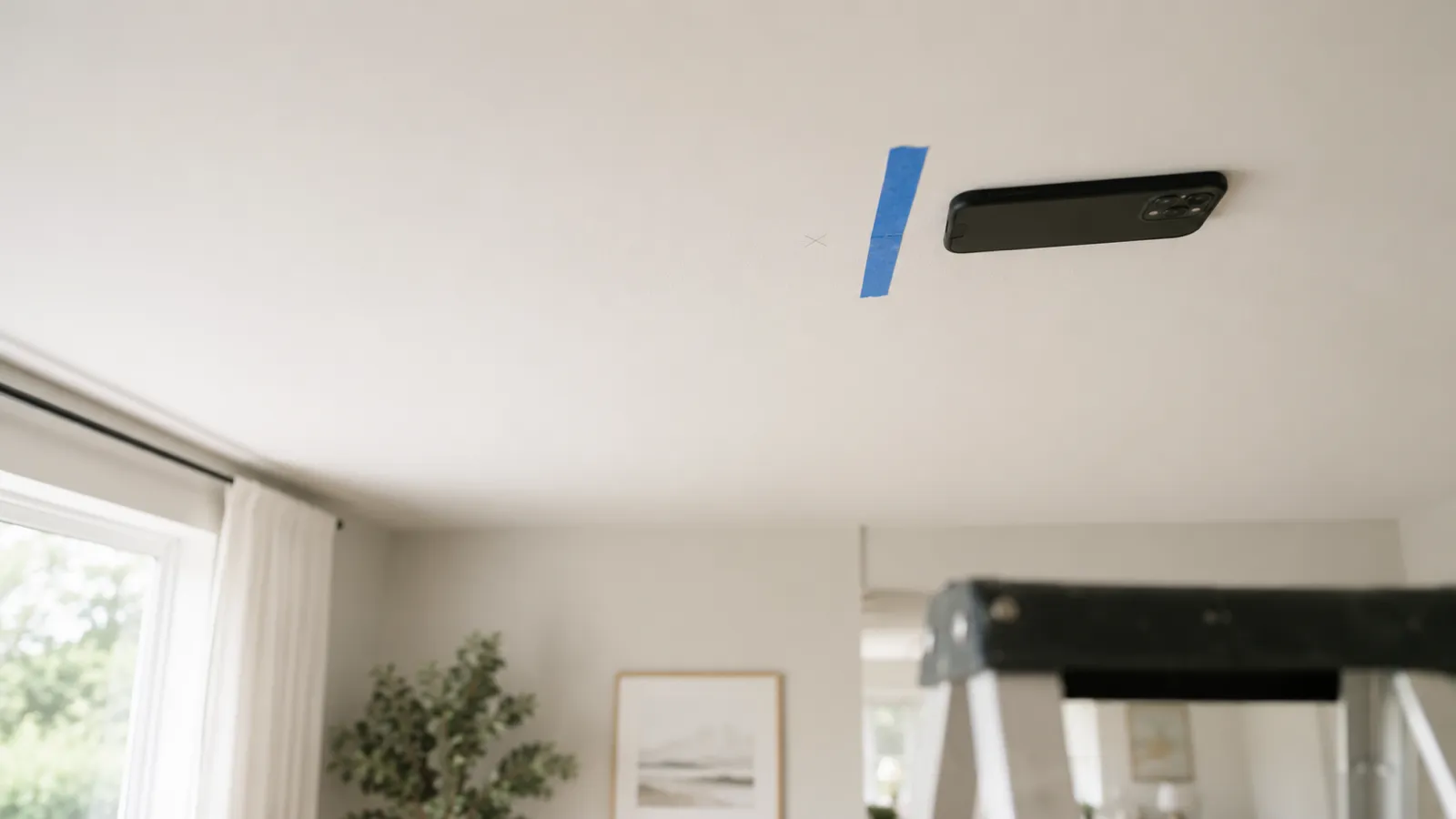
A ceiling joist is just a stud lying on its side. Same lumber, same 16-inch or 24-inch on-center spacing, and — this is the part that matters — the same drywall screws holding the same drywall to it. That means every trick that finds a wall stud finds a ceiling joist. Sweep a stud finder app across the ceiling and it spikes over the screw heads; drag a magnet and it grabs in the same spots; run an electronic finder overhead and it reads the density change. And because joists run parallel at a fixed spacing, finding one tells you where all the rest are.
Here’s how the five methods stack up:
| Method | Cost | Best for | Weak spot |
|---|---|---|---|
| Stud finder app | Free to try | Fast checks, textured ceilings | Reads fasteners, not wood |
| Rare-earth magnet | A few dollars | Confirming a screw line | Slow to search a whole ceiling |
| Electronic stud finder | $10–$50 | Reading the full joist width | Awkward to calibrate overhead |
| Tape measure from wall | Free | Predicting the whole layout | Assumes standard spacing |
| Knock test / attic check | Free | Verification | Knock is vague; attics are hot |
Use one method to find, and a second to confirm. Overhead, that habit isn’t optional — it’s the difference between a ceiling fan that stays up and one that doesn’t.
This is the method most people don’t realize works overhead — and it works exactly as well as it does on a wall. Your phone’s magnetometer doesn’t care about gravity; it reacts to the steel drywall screws driven through the ceiling into each joist, roughly every 12 inches along the board. To be clear about what’s happening: the app detects the metal fasteners in the joist, not the wood itself. That’s not a limitation here — the screws only exist where the joist is, so a line of magnetometer spikes is the joist.
The overhead technique, adapted from how to use a stud finder:
Two honest caveats. If your ceiling is plaster over wood lath, the fasteners are smaller nails at odd spots, and readings get noisy — the app can still work, but expect to hunt. And recessed lights, metal HVAC boots, and ceiling boxes will all spike the magnetometer, so ignore readings within a few inches of any fixture. Curious what the sensor is actually doing? See how the app works.
If you searched for a “beam finder app” or “joist finder app,” this is it — same sensor, same physics, just pointed up.
The zero-tech version of the same physics. A neodymium magnet — the small disc kind, a few dollars at any hardware store — sticks to the ceiling wherever there’s a drywall screw underneath the paint. Tie it to a length of dental floss and drift it across the ceiling; when it snaps flat against the surface, you’ve found a fastener, and the joist is directly behind it.
It’s slower than an app because you’re hunting individual screw heads across a big surface with no readout, and holding your arms overhead gets old fast. But it never needs a battery, never gives a false density reading, and it’s a great confirmation tool: once the app says “joist here,” a magnet grabbing on the same line settles it. As with the app, find at least two fasteners in a row before you trust the line.
Electronic stud finder, held overhead. A capacitive finder reads the density difference between hollow cavity and solid joist, so it shows you the full width of the lumber rather than individual screws. The catch is ergonomics: you have to calibrate over a hollow spot on the ceiling while holding the tool flat and steady above your head, and any wobble ruins the reading. It works — plenty of electricians do it daily — but expect a couple of recalibrations before you get a clean pass.
Measure from the wall. Framing is predictable, and you can exploit that. Joists typically run perpendicular to the roof ridge, spanning the shorter dimension of the room, and they’re laid out 16 inches on center in most US homes (24 inches with truss framing). The first joist usually sits with its edge at the wall, so measure out and mark at 16-inch intervals: 16, 32, 48, 64. These marks are hypotheses, not answers — layouts shift around chimneys, stairs, and openings — but they tell you exactly where to point a magnet or an app, which turns a whole-ceiling search into a 30-second check.
Knock, then check the attic. Rap the ceiling with a knuckle: hollow and drummy between joists, dull and solid on one. It’s imprecise — think “within a few inches,” not “drill here” — but it’s free and instant. If the room below an attic is the one you’re working on, you have the cheat code: go up, and the joists are sitting right there in plain sight. Measure from a reference point you can find in both places (a chimney, a vent pipe, the attic hatch itself) and transfer the measurement to the ceiling below.
Three terms get mixed up, and one of them changes your spacing assumption:
For finding purposes, none of this changes the game: all three hold drywall with steel fasteners, so an app, a magnet, and a finder detect all of them. It only changes what spacing to expect and how much weight the member can take.
One wall type deserves its own warning: plaster ceilings. Old lath-and-plaster is thicker and lumpier than drywall, electronic finders misread it constantly, and the lath nails are small. Overhead plaster is the hardest case in the house — lean on the tape-measure layout and the attic check, and verify with a small pilot hole before committing to hardware.
A picture that pulls out of a wall falls a foot and dents the baseboard. A ceiling fan that pulls out of a ceiling falls on whatever — or whoever — is under it. That’s the whole reason to be more careful finding ceiling joists than wall studs: everything you hang overhead is a falling hazard, and drywall alone holds almost nothing in tension. A toggle bolt rated for 50 pounds on a wall is doing a different, harder job when the load hangs straight down off the ceiling.
So match the job to the framing:
Whatever you find the joist with, verify before the real hardware goes in: drill a 1/16-inch pilot hole where you plan to mount. Wood shavings on the bit means you’re in the joist; white dust and no resistance means you’re in the cavity, and the hole you just made is small enough to spackle in ten seconds. Find with the app or the tape, confirm with the magnet or the pilot hole, and hang it once.
Yes. A ceiling is just drywall screwed to wood framing, so a stud finder app's magnetometer detects the same drywall screws overhead that it finds in a wall. Sweep the phone slowly across the ceiling and the spikes line up along each joist.
In most US homes, ceiling joists sit 16 or 24 inches on center — measured center to center, not gap to gap. Once you've located one joist, measure 16 inches across; if there's nothing there, check 24 inches.
Measure out from the wall the joists butt into, marking every 16 inches, and knock as you go — solid thuds mean framing, hollow sounds mean cavity. If you have attic access, go up and measure the joist positions directly from above, then transfer them to the ceiling below.
Ceiling joists usually run perpendicular to the roof ridge, spanning the shorter dimension of the house. Find one joist and you know the direction of all of them, because they run parallel at a regular spacing.
Not exactly, but for hanging things they behave the same. A truss's bottom chord does the joist's job and holds the ceiling drywall, typically at 24 inches on center, and what UK and Australian DIYers call ceiling beams or timbers are usually joists too. All of them take drywall screws you can detect.

Will a stud finder work through tile? Magnets and magnetometer apps do; capacitive finders mostly don't. How to find studs behind tile — and when to cheat.
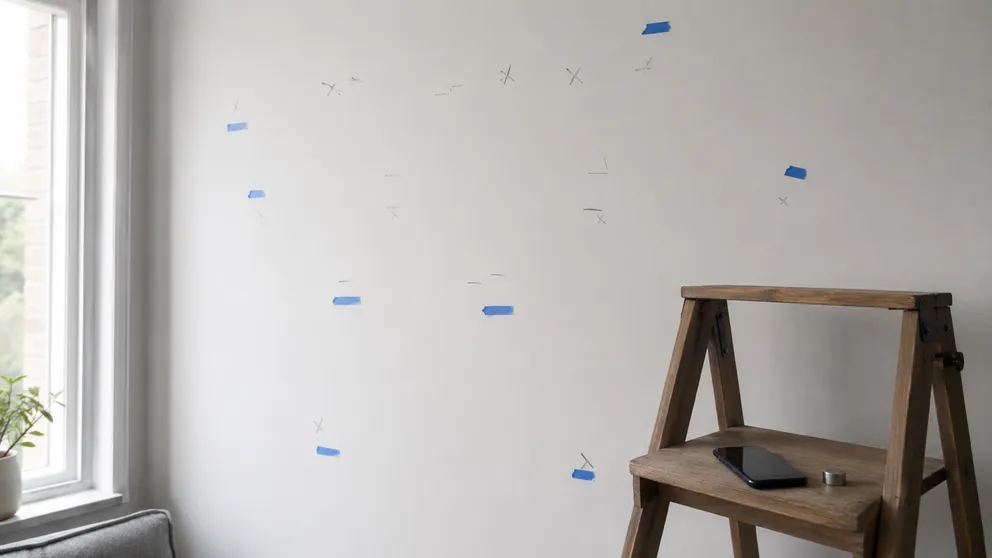
Stud finder not working? Seven wall types and mistakes that hide studs — plaster, metal framing, glued board — and the test that settles it in minutes.
Stud Finder turns your phone into a precision wall scanner. Know where the studs, screws and pipes are before you drill.
Download the App