
Stud Finder Phone App: Turn Your Phone Into a Stud Detector
A stud finder phone app uses your phone's magnetometer to find the screws holding drywall to studs. Which phones work, iPhone vs Android, scanning tips.

A stud finder app turns the magnetometer chip in your iPhone — the same one that powers the Compass app and is exposed to developers via Apple’s Core Motion framework — into a wall scanner. As you slide the phone flat across drywall, the app reads tiny magnetic disturbances caused by the nails and screws driven into each stud.
On a standard drywall-over-wood-stud wall, this is enough information to locate every stud in the wall in under a minute. No batteries to swap. No extra tool to lose. No $20 to spend on hardware you’ll use twice a year.
The app is not detecting the stud. It’s detecting the metal fasteners — and that distinction is the whole reason it works the way it does.
Drywall is screwed or nailed to a wood stud roughly every 8 to 16 inches along the stud’s length, with studs themselves spaced 16 inches on center per IRC §R602.3.1. Each fastener is a small piece of ferrous metal sitting close to the wall surface. Sweep an iPhone slowly past one and the magnetometer registers a sharp, narrow spike above Earth’s 25–65 μT ambient field — essentially a tiny magnetic shadow.
When you see two or three of these spikes stacked vertically (sweep at chest height, then at hip height, then at shoulder height), you’ve found a stud. A single spike on its own is more likely a stray nail or an electrical box; two or more on the same vertical line means there’s a fastener pattern, which means there’s a stud behind it.
That’s the entire trick. The physics are public, the sensor is in every modern iPhone, and any app that knows how to interpret the signal can do this.
The honest answer to “does this work?” is: yes, on the walls most homes have. Where things get harder:
The first two cover the overwhelming majority of homes built in North America after about 1960. If your house is post-1960 and you’re not standing in a basement utility room, the app will find your studs.
A capacitive hardware stud finder works on a different principle: it slides along the wall and measures changes in dielectric properties. Wood is denser than air, so a stud reads as a jump in capacitance. A multi-sensor model can also detect AC voltage and metal.
The two approaches measure different things:
| Stud Finder app (our pick) | $20 hardware finder | |
|---|---|---|
| What it detects | Metal fasteners (or a steel stud itself) | Wall density |
| Battery | Phone battery | 9V or AA |
| Cost | Free to try | $20–$50 |
| Always available | Yes — phone is in your pocket | No — you have to find it |
| Works on metal studs | Yes — reads the whole stud, as a broad band | Yes — many models find metal stud edges |
| Works on plaster | Limited | Limited (deep-scan mode helps) |
| Live reading | Visual graph of signal strength | Usually a beep + LEDs |
For typical drywall on wood — the walls most homes have — the app is our pick and plenty on its own. A hardware finder is good if you specifically need an independent check for heavy mounts or plaster.
If you want to test whether a stud finder app works in your house:
For the longer version of how the sensor and the math work, our how-it-works page walks through the physics. If you just want the app, here’s the stud finder app.
There’s a stud finder app for iPhone and Android, it’s free to try, and on the kind of walls most homes have it gives you a fast, accurate reading. It’s not magic — it’s a magnetometer reading the nails — and once you know what it’s actually measuring, you’ll know exactly when to trust it and when to bring out a probe.
Stud Finder is free to download with a free trial on the App Store and Google Play — ad-free, with no signup to start. After the trial, a subscription unlocks unlimited scanning.
On standard drywall over wood studs, yes. The app reads the magnetic field of the nails and screws driven into the stud and gives a reliable position within about an inch.
On wood framing it doesn't detect the stud itself. It detects the metal fasteners — the nails and screws — that hold the drywall to the stud. Their position gives away the stud's location. A steel stud is the exception: the stud itself is metal, so the app reads it directly.
Limited. Older lath-and-plaster construction has hundreds of small nails throughout the wall, which makes the magnetometer signal hard to interpret. For plaster, expect to verify with a probe.
Yes — Stud Finder is on Google Play for Android as well as iPhone. Android phones have the same kind of magnetometer, though sensor quality varies by device, so detection is most reliable on flagship phones.
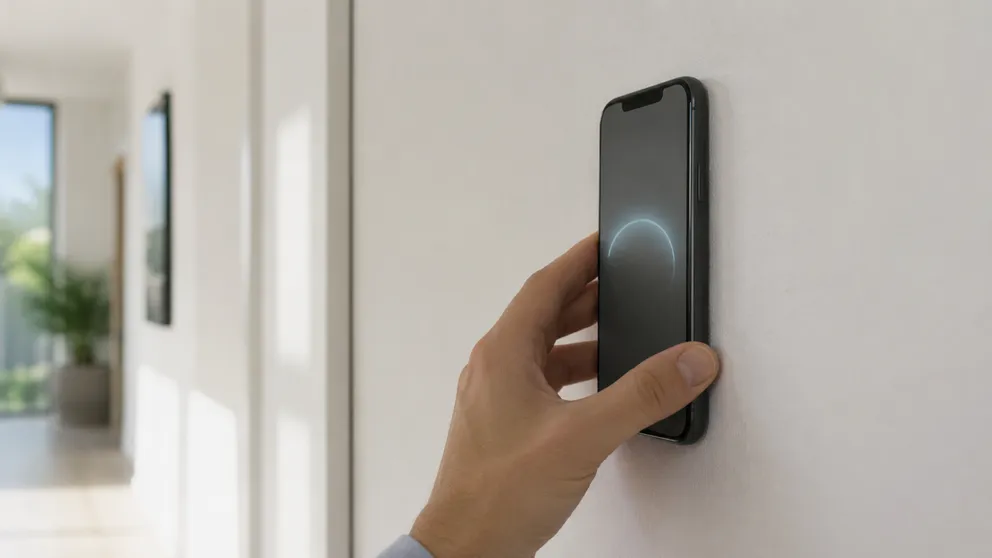
A stud finder phone app uses your phone's magnetometer to find the screws holding drywall to studs. Which phones work, iPhone vs Android, scanning tips.
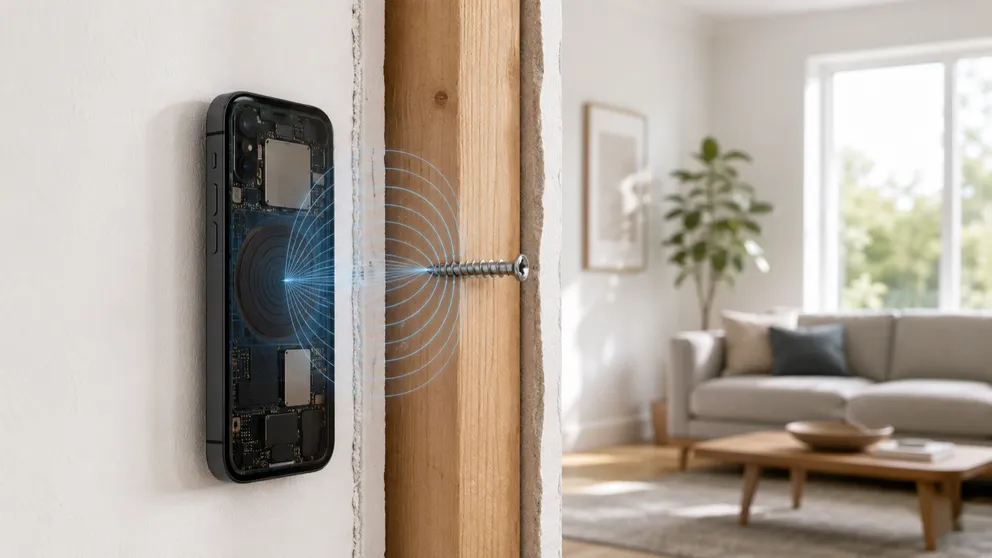
What happens when a stud finder app detects a wall stud? The sensor, the signal and the physics behind the iPhone stud finder, explained in plain terms.
Stud Finder turns your phone into a precision wall scanner. Know where the studs, screws and pipes are before you drill.
Download the App