
The Best Stud Finder App for iPhone (and How to Pick One)

”Best” is a measurable thing — not a vibe
Every stud finder app on the App Store is reading the same chip: the iPhone’s three-axis magnetometer, sampled via Core Motion’s CMMagnetometerData at up to 100 Hz. The signal is the same. What changes between apps is what they do with it — how they show it, how they calibrate, and what they hide.
Once you understand that, “best” stops being marketing and becomes a checklist:
- Live signal graph, not a yes/no. A magnetometer reading is a number, and that number changing over time is what tells you a stud is there. An app that only shows you “stud detected” hides the data you need to verify the reading.
- Explicit calibration. Earth’s magnetic field varies between 25 and 65 μT by location, and each room’s metal infrastructure shifts the local baseline further. An app that doesn’t take a baseline reading first has nothing to compare spikes against.
- No paywall on detection. The core function is reading a sensor. Charging $5/week for that — common in the App Store’s bottom tier — is rent extraction, not value.
- No fake AR or fake X-ray visuals. If the app overlays a “stud beam” graphic on your camera, that graphic is generated, not measured. You’re being shown a cartoon, not a reading.
Apps that pass all four are the candidates worth using.
The honest spec sheet for any stud finder app
Run any candidate through this:
| Question | Why it matters |
|---|---|
| Does it show a raw magnetometer graph in microteslas? | Lets you see the actual signal, not someone’s interpretation |
| Does it explicitly calibrate? | A spike only means something relative to a baseline |
| Can you re-zero the baseline mid-scan? | Useful when moving between rooms with different ambient fields |
| Does it warn about phone cases / MagSafe magnets? | Magnetic cases saturate the sensor; an honest app says so |
| Is detection paywalled? | If yes — pass |
| Are there ads inside the scan view? | Latency-inducing and sketchy |
| Is it iOS-only or cross-platform? | Cross-platform apps often compromise iOS-specific tuning |
The apps that pass these are short-list. The ones that fail are why “do stud finder apps work?” gets asked so often — most of the App Store’s stud finder category doesn’t deserve the keyword.
What we built and why
Stud Finder for iOS is the app we built around exactly the criteria above:
- Live magnetic field graph in μT. You see the raw reading, the baseline, and every spike.
- One-tap calibration with a clear visual when the baseline is set.
- Free. No subscription, no in-app purchases, no signup. The magnetometer is in your phone; reading it isn’t a service.
- No ads inside the scan view. Nothing competes for your attention while you’re trying to mount a TV.
- iOS-only on purpose. We tuned the signal processing for the magnetometer chips Apple ships, instead of averaging over the dozens of variants Android phones use.
We’re not the only honest stud finder app on the App Store, but we are one of them. Use whichever one passes the four criteria above and feels right in your hand.
Why a free magnetometer app often beats a $30 hardware finder
A capacitive hardware stud finder ($20–$50) measures dielectric change in the wall — wood is denser than air, so a stud reads as a jump in capacitance. It’s a good tool, but it has structural disadvantages compared to a phone:
- It’s not in your pocket. You have to find it. Phones are with you.
- It beeps. A beep is a one-bit signal. A live graph carries the actual shape of the reading.
- Battery dies. A 9V left in a drawer for two years is dead when you need it.
- Multi-sensor models confuse novices. The “deep scan” mode reads more, not better — and on the wrong setting it lies cleanly.
The case for hardware: it works on metal-stud framing. Magnetometer apps don’t. If your home has metal studs, get a finder with metal-stud mode. Otherwise, your phone is plenty.
For the comparison in more depth, see how accurate are stud finder apps and our breakdown of whether stud finder apps actually work.
How to test any stud finder app in 60 seconds
Before trusting an app on a real mounting job:
- Air test. Hold the phone still in open air. The signal should be near-flat with small noise.
- Metal test. Bring the phone close to a doorknob, then a kitchen knife, then a screwdriver. The signal should jump dramatically each time.
- Calibration test. Restart the app while the phone is held against a known stud. If it reads the same spike after calibration as it did before, calibration is working.
- Known-stud test. Find a stud you already know exists (next to a doorframe — there’s always a king stud beside it). Sweep across it. The app should show a clear spike at that position.
Any app that passes all four is reading the magnetometer honestly. Any that fails one is a candidate for deletion.
The bottom line
The best stud finder app isn’t the one with the best App Store icon. It’s the one that shows you the data, calibrates honestly, charges nothing for what’s effectively a sensor read, and stays out of the way while you work. That’s a small list. Pick from it, run the 60-second test, and trust the live graph.
For the full how-to once you’ve picked your app, see how to use a stud finder app on iPhone. Or skip the comparison and grab our free stud finder app for iPhone — it meets all four criteria.
Frequently asked questions
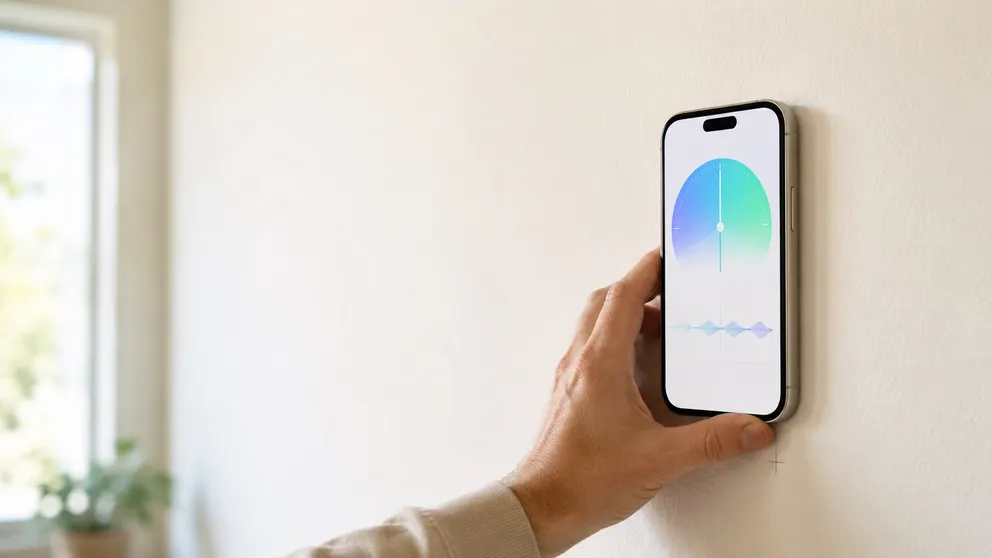
Free Stud Finder App for iPhone — No Subscription, No Ads
A free stud finder app for iPhone reads your phone's magnetometer to find studs through drywall. No signup, no subscription, no in-app purchases — here's why it can be free.
How Accurate Are Stud Finder Apps? An Honest Answer
Stud finder apps are typically accurate to within an inch on standard drywall — enough for shelves, TVs, and most household mounts. Here's where it breaks down.
See behind the wall,
now in your pocket.
Stud Finder turns your phone into a precision wall scanner. Know where the studs, screws and pipes are before you drill.
Download the App