
Magnetic Stud Finder: How It Works, How to Use It, and Its Limits
A magnetic stud finder is a strong magnet that grabs the screws in your wall studs. How to use it, when it beats electronic finders, and when it fails.

Short answer: yes. A magnetometer app detects ferrous metal, and a steel stud is ferrous metal — a galvanized C-channel running the full height of the wall. On wood framing the app has to find discrete screws spaced every 12–16 inches and infer the stud between them. On steel framing the stud itself registers, edge to edge, floor to ceiling, so it’s hard to miss. The trade-off is precision: you get a broad band roughly the width of the stud’s face instead of one sharp peak, so you center the stud by marking both edges — and other steel in the wall, like the floor and ceiling tracks, corner bead, and conduit, reads too.
That’s the whole case for a stud finder app on metal framing. The bigger catch isn’t detection — it’s what you do after you find the stud, because mounting into thin steel works differently than mounting into wood. More on that below, because it’s the part that keeps TVs on walls.
Steel framing is rare in single-family wood-built homes but standard almost everywhere else:
Three quick checks tell you what you’re standing in front of:
If the magnet grabs only at spaced points, you have wood framing, and the technique changes — that’s the wood stud finder app workflow, built around fastener columns instead of continuous signal.
The same app, the same sensor, two completely different readouts:
| Wood stud | Metal stud | |
|---|---|---|
| What’s magnetic | Only the screws and nails | The entire stud |
| Signal shape | Discrete spikes every 12–16″ vertically | Continuous band the full height of the wall |
| Signal strength | Modest — small fastener mass | Strong — a full steel channel |
| Miss risk | Real — you can scan between fasteners | Low — any height on the stud reads |
| Confirmation method | Re-scan at a second height, look for a vertical column | Re-scan at a second height, band repeats immediately |
| Center-finding | Peak sits over the fastener, usually mid-stud | Broad band — mark both edges, split the difference |
| Look-alikes | Stray nails, nail plates, metal boxes | Floor and ceiling tracks, corner bead, conduit |
| What you mount with | Wood screws, lag bolts | Toggle bolts, snap toggles |
The last row is the one people skip, and it’s the one that matters most. Detection is easier on metal; mounting is stricter.
Finding metal studs in a wall with a phone takes one slow pass:
Same steps on iPhone or Android — if you’re on the Android side, the stud finder app for Android page covers what the app needs from your phone’s sensor. And if you’re sweeping and getting nothing at all, that’s usually a wall problem or a technique problem, not a framing problem — why can’t I find a stud walks through the usual causes.
Here’s the honest part: finding a metal stud is easy. Fastening to one is where DIY habits from wood framing get people in trouble.
A lag screw works in wood because inches of solid material grip every thread. A 25-gauge steel stud is thin sheet metal — a screw driven into it engages a fraction of one thread’s worth of steel. It feels snug when you drive it, and then it strips or tears out under load. The lag bolts included with most TV mounts assume wood and should not go into light-gauge steel.
What works instead:
If the item is light — frames, small shelves, hooks — ordinary drywall anchors in the cavity are often simpler than hitting the stud at all. Studs earn their keep for the heavy stuff, and the heavy stuff needs the right hardware.
A magnetometer reads magnetic field strength, nothing else. On metal framing, three limits are worth naming:
None of these limits changes the verdict; they just draw the lane. Locating steel studs is squarely inside it.
On metal framing, the magnetometer has the easy half of the job. The target is a full-height strip of ferrous steel, and the app reads it as a continuous band you can bracket to within the width of the stud face. Find the edges, mark the center, confirm the 16 or 24 inch spacing, and the locating half of the job is done with the phone in your pocket. Then respect the steel: toggles, not lag screws, and real ratings for real weight. The app finds the stud; the hardware keeps things on the wall.
Yes. A steel stud is ferromagnetic along its entire length, so the phone reads a continuous signal anywhere on the stud instead of only at the fasteners. The trade-off is precision: the signal is a broad band, so mark both edges and drill the middle — and check the 16- or 24-inch spacing, because steel tracks, corner bead, and conduit read as metal too.
Run a strong magnet along the wall where you suspect a stud: on steel framing it pulls anywhere along the stud line, not just at screw points every 12–16 inches. A knuckle knock on the stud also sounds tinnier and more hollow than the dead thud of wood. Metal studs are standard in offices, commercial buildings, and many apartment and condo interior partitions.
Not with the lag screws that come with most TV mounts — those are designed to bite into solid wood, and thin steel gives them almost nothing to grip. Use toggle bolts or snap toggles rated for your load, which clamp against the back of the stud instead of relying on thread engagement. For heavy TVs on light-gauge steel, use proper toggles across two studs or add blocking.
The face you can anchor into is narrow — roughly 1-1/4 to 1-5/8 inches wide on common C-channel studs, about the same as a wood 2×4's 1-1/2 inch face. That leaves little margin for error, which is why you should mark both edges of the signal and drill the centerline. The stud's depth into the wall varies by size, but the face is what matters for mounting.
Usually not in the walls you'll scan — light-gauge steel such as 25-gauge is standard for non-load-bearing interior partitions. Structural steel framing exists, but it uses heavier-gauge stock and no phone app can tell the two apart through drywall. Treat every metal-stud wall as a partition unless building plans say otherwise.
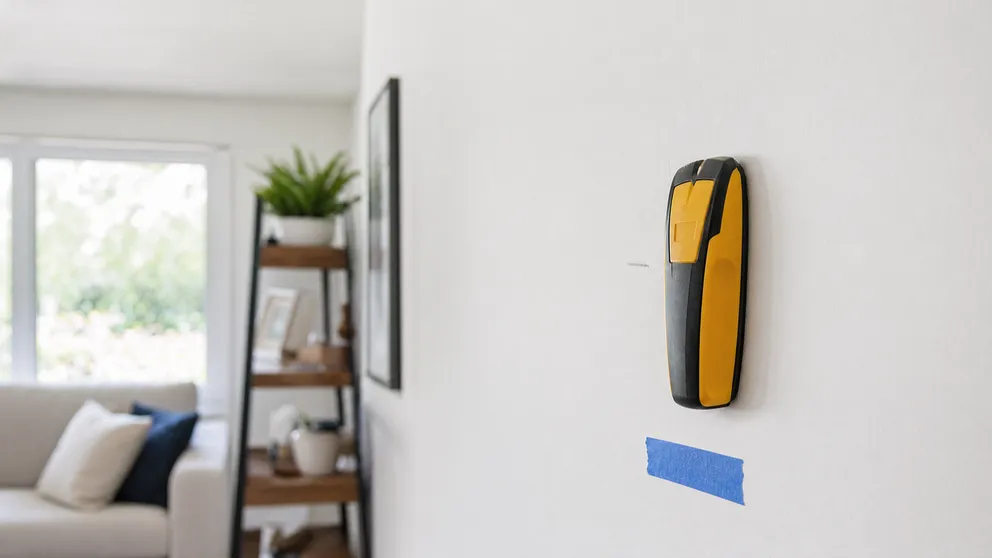
A magnetic stud finder is a strong magnet that grabs the screws in your wall studs. How to use it, when it beats electronic finders, and when it fails.

Will a stud finder work through tile? Magnets and magnetometer apps do; capacitive finders mostly don't. How to find studs behind tile — and when to cheat.
Stud Finder turns your phone into a precision wall scanner. Know where the studs, screws and pipes are before you drill.
Download the App