
How to Find a Stud With Your iPhone (Without Buying Anything)
Your iPhone has a magnetometer built in — the same sensor a stud finder app reads. Here's how to find a stud with just your phone, step by step.

No — not one that detects anything. Every real stud finder senses something physical: a magnet or magnetometer feels the steel fasteners in the studs, a capacitive finder reads the wall’s density, radar bounces a signal off the framing. A browser tab on its own has none of those sensors, and it can’t borrow the one your phone does have.
Search for “online stud finder” and you’ll find three kinds of page. Articles explaining how to find studs (useful, but not a tool). Novelty pages that play a beep or vibrate your phone as you move it, which is theater — nothing on the page is measuring the wall. And landing pages whose “start scanning” button is a link to the App Store or Google Play, because the actual scanner has to be an app.
If the reason you searched “online” was to avoid buying hardware, you’re in luck: the sensor you need is already in your phone. If the reason was to avoid installing anything at all, skip to the layout methods below — they work with zero downloads and cost nothing.
The sensor that makes a phone stud finder work is the magnetometer, the same chip that runs the compass. Drywall screws are steel; the magnetometer sees a small spike in the magnetic field as it passes over one, and since every drywall screw is driven into a stud, a spike marks a stud. Our iPhone stud finder explainer covers the physics.
An installed app asks the operating system for that sensor directly and gets a raw stream of readings many times per second — precise enough to pinpoint a screw head. A web page doesn’t get that access. As of this writing, iOS Safari doesn’t expose the magnetometer to websites at all. Chrome on Android has a Magnetometer API in the standards pipeline, but it sits behind an experimental flag that ordinary users never turn on. What browsers do expose is a compass heading, which is a heavily filtered, smoothed number designed for map orientation — far too slow and coarse to catch the field of a single screw.
That’s not a limitation any web page can code around. It’s why “online stud finder” is a search that can’t have the answer people want, and why the honest version of that answer is a small app.

Most people typing this want one of three things. Each has a real solution.
| What you want | Does an online page do it? | What actually works |
|---|---|---|
| No hardware to buy | No | A magnetometer app — the sensor is already in your phone |
| Nothing to install | No | Layout methods: outlets, 16″ spacing, a magnet, a knock test |
| Instant answer right now | No | An app installs in under a minute and scans in seconds; a fridge magnet is faster still |
Option 1: a magnetometer app. This is the closest thing to what “online stud finder” imagines: nothing to buy, works on the phone in your hand, results in seconds. Sweep the phone flat across the wall, watch the reading spike at each screw, mark it, confirm a second screw 12–16″ above or below on the same vertical. It works on drywall over wood or metal studs, through paint, wallpaper, and tile, and it needs no internet once installed. The honest caveats: it reads screws, not wood, so it’s weak on thick plaster; and on Android the result depends on your phone’s sensor quality. See is there a stud finder app for what to expect from the app category in general — and the iPhone version if you’re on Apple hardware, where sensor quality is consistent across models.
Option 2: a magnet. Any strong magnet — a rare-earth magnet from a hardware store, or a decent fridge magnet — grabs the same drywall screws. Slower than the app because you sweep until it catches, but it’s the definition of no-download.
Option 3: read the layout. Walls follow rules. Electrical boxes are nailed to the side of a stud, so there’s a stud within about an inch of every outlet and switch. Studs sit 16″ on center (occasionally 24″), so once you’ve found one, measure to the rest. Baseboard and trim are nailed into studs, and the nail heads show as small filled dimples under paint. A knuckle knock goes from hollow to dull over a stud. None of these needs a device, and all of them are in how to find studs without a stud finder.
A few patterns show up in “online stud finder” results and none of them find studs.
If you have a phone: install a magnetometer stud finder app with a real free trial, take the case off if it has a magnet, and sweep the wall slowly. You’ll have a marked stud in a couple of minutes. If you’d rather install nothing: find the nearest outlet, measure 16″ intervals from it, and confirm with a magnet or a knock. Either way, verify with two aligned hits before you drill — the same rule that applies to a $60 electronic finder.
The stud finder that works “online” is the one already in your pocket. It just isn’t a web page.
Not one that actually detects studs. Finding a stud requires reading a sensor — a magnetometer in your phone, or the density or radar sensor in a hardware finder — and a web page in a browser can't reliably access your phone's magnetometer. Sites calling themselves online stud finders are either articles, tools that only play a sound, or download links for an app.
Mobile browsers don't expose raw magnetometer data to web pages by default. iOS Safari doesn't offer it at all, and Chrome on Android keeps the Magnetometer API behind an experimental flag that's off for normal users. Native apps request the sensor directly from the operating system, which is why every working stud finder on a phone is an installed app.
Install a magnetometer stud finder app with a free trial and sweep the wall — it takes under a minute and reads the screws in the studs. If you'd rather not install anything, use the layout: outlets and switches are nailed to a stud, studs sit 16 inches apart, and a strong fridge magnet will grab the drywall screws on each one.
No. Laptops don't have a magnetometer, and a laptop's webcam or microphone can't sense what's inside a wall. Any page promising a laptop stud finder is guessing based on the knock sound at best.
No. The scan reads the phone's built-in sensor locally, so the app works with no signal — in a basement, a garage, or a new build with no Wi-Fi yet. Internet is only needed for the initial download.
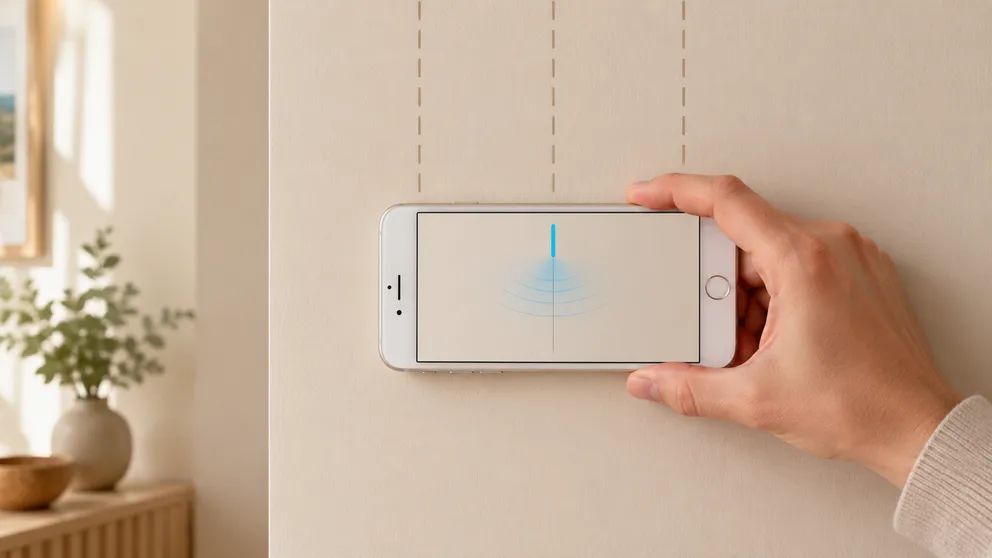
Your iPhone has a magnetometer built in — the same sensor a stud finder app reads. Here's how to find a stud with just your phone, step by step.
Most stud finder apps push ads, fake scans or sketchy permissions. Stud Finder is ad-free, private and free to try on iPhone and Android. How to tell.
Stud Finder turns your phone into a precision wall scanner. Know where the studs, screws and pipes are before you drill.
Download the App