
Online Stud Finder: Is There One That Works in a Browser?
Looking for an online stud finder with no download? Why a web page can't read your phone's sensor, what those sites do, and the fastest free options.
Open the App Store or Google Play, search “stud finder,” and sort by free. Install the top three. Within the first scan you’ll see at least one of these:
None of that has anything to do with finding a stud. It’s there because building an app costs developer time, and the path of least resistance to recoup that time is one of four business models:
The honest models are the ones that don’t make you and your attention the product. An ad-supported scanner sells your focus during the one moment you need it; a data-harvesting one sells your behavior. A clearly disclosed subscription, by contrast, just charges for the app — which is how a stud finder can stay completely ad-free.
A quick taxonomy of how “free” gets used in stud finder listings:
| Listing says | What it actually means | How to tell |
|---|---|---|
| Free with “In-App Purchases” | Some features (or a trial) gated behind IAP | Listing shows an in-app purchase line under the price |
| Free with banner ads | Ad-supported, ads run during the scan | First-scan banner or interstitial |
| Free trial | Free window, then a subscription | Onboarding screen asks for purchase confirmation |
| Free, no ads | Either subscription-funded or data-monetized | Check the privacy nutrition label and tracking SDKs |
| Free download | Free to install, may gate on first use | “Unlock” prompt at first launch |
The “In-App Purchases” line under the price is the single most useful signal. If it’s there, something is gated — which is fine if it’s a clearly disclosed trial, and a problem if it ambushes you. Pair it with the privacy label and the recent reviews and you’ll know what you’re getting in thirty seconds.
Before you install anything, run this checklist on the listing:
Thirty seconds of due diligence saves the alternative: install, scan once, hit an ad wall, uninstall, repeat.
Here’s what we do and don’t do, written plainly:
What Stud Finder does:
What Stud Finder does not do:
How it’s funded: a subscription, not ads. It’s free to download with a free trial; after the trial, a subscription keeps it unlocked. That’s the honest trade that lets it stay ad-free and private — we charge for the app instead of selling your attention or your data.
Apps with heavy monetization advertise long feature lists — cloud sync, scan history, AI assistant, premium support. Here’s the honest take on each, for a stud finder:
The features you actually need — accurate detection, clear visualization, calibration, fast scan — don’t require ads or data harvesting to deliver.
Stud finder apps have real failure modes, and they’re identical whether the app is ad-supported, on a trial, or paid:
These are physical limits of the sensor. No app — free, trial, or paid — fixes them. (Steel studs and ordinary tile aren’t among them: the app reads a steel stud as a broad band rather than a spike, and reads through tile on thinset over cement board or drywall, just more weakly.) For the full breakdown of where apps work and where they don’t, read do stud finder apps work.
The real choice isn’t free-versus-paid — it’s whether the app makes money from you or from a price. An ad-supported scanner sells your attention in the exact moment you’re trying to mark a stud; a data-harvesting one sells where you live and how you move. An ad-free, subscription-funded app charges for the tool and leaves your scan — and your data — alone.
For a 30-second task you do a handful of times a year, “no ads, nothing tracked, real detection” is the trade worth making.
Ad-free on the App Store and Google Play, free to try. The stud finder app is one tap away.
For the technical side of how it works, see how the iPhone stud finder works. For the accuracy breakdown, read do stud finder apps work — and how accurate are they.
Yes. Stud Finder is ad-free on both iPhone and Android — no banners, no interstitials, nothing competing with the scan view. It reads the magnetometer locally with no network calls and no tracking SDKs. It's free to try; after the trial, a subscription keeps it unlocked.
Because 'free' in the stores usually means ad-supported, freemium with a paywall, or data-monetized. Building a stud finder is simple; keeping one ad-free means funding it another way — an upfront price or a subscription — rather than selling your attention.
Yes. The magnetometer signal is the same regardless of which app reads it. Ads don't make detection more accurate — they only fund the developer. A clean, ad-free app with a clear signal visualization is functionally equivalent to any other.
Check the listing for an 'In-App Purchases' line right under the price. If it lists items like 'Pro Unlock' or 'Premium Subscription,' the free download is gated in some way. Also scan the latest 1-star reviews — users flag surprise paywalls there immediately. An honest app discloses its trial and price up front.
No. A real stud finder app only reads the phone's magnetometer, which is a hardware sensor. Apps that require login, account creation, or network access are doing something other than finding studs — usually serving ads or syncing data.

Looking for an online stud finder with no download? Why a web page can't read your phone's sensor, what those sites do, and the fastest free options.
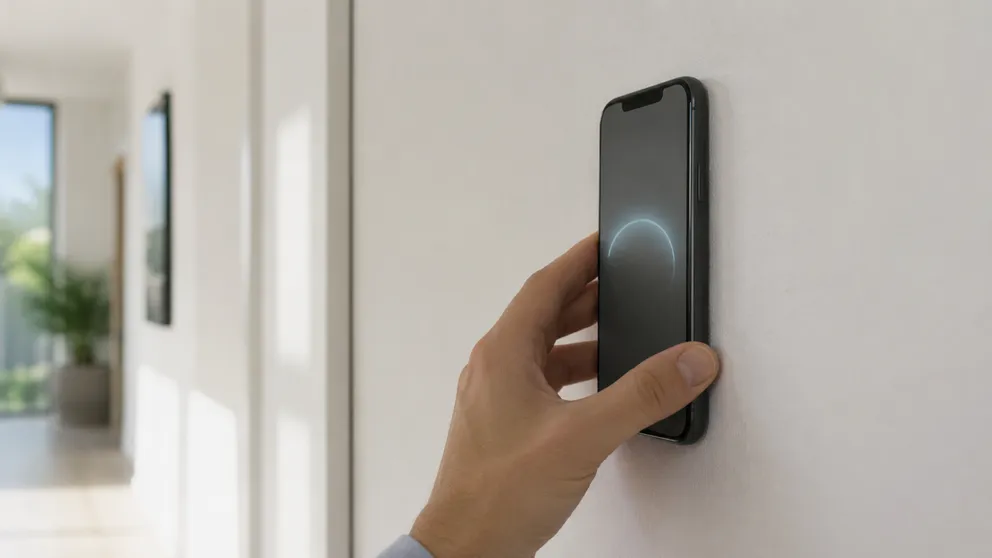
A stud finder phone app uses your phone's magnetometer to find the screws holding drywall to studs. Which phones work, iPhone vs Android, scanning tips.
Stud Finder turns your phone into a precision wall scanner. Know where the studs, screws and pipes are before you drill.
Download the App